 DictationNote
AI voice notes
Record it once. Read the summary in seconds.
DictationNote records meetings, lectures and interviews, turns speech into text on the device, then writes the summary, key points, action items, mind map, flashcards and a quiz.
Android & iPhone · 50+ languages · transcription works offline
How it works
Three taps, then read.
Record or import
Hit record for a meeting or a lecture, or bring in an audio file you already have. No account, no setup wizard, no upload queue.
Get the transcript
Speech recognition runs on the device while you speak, in 50+ languages. The newest sentence lights up in coral as it lands, so you can follow along.
Let the AI write it up
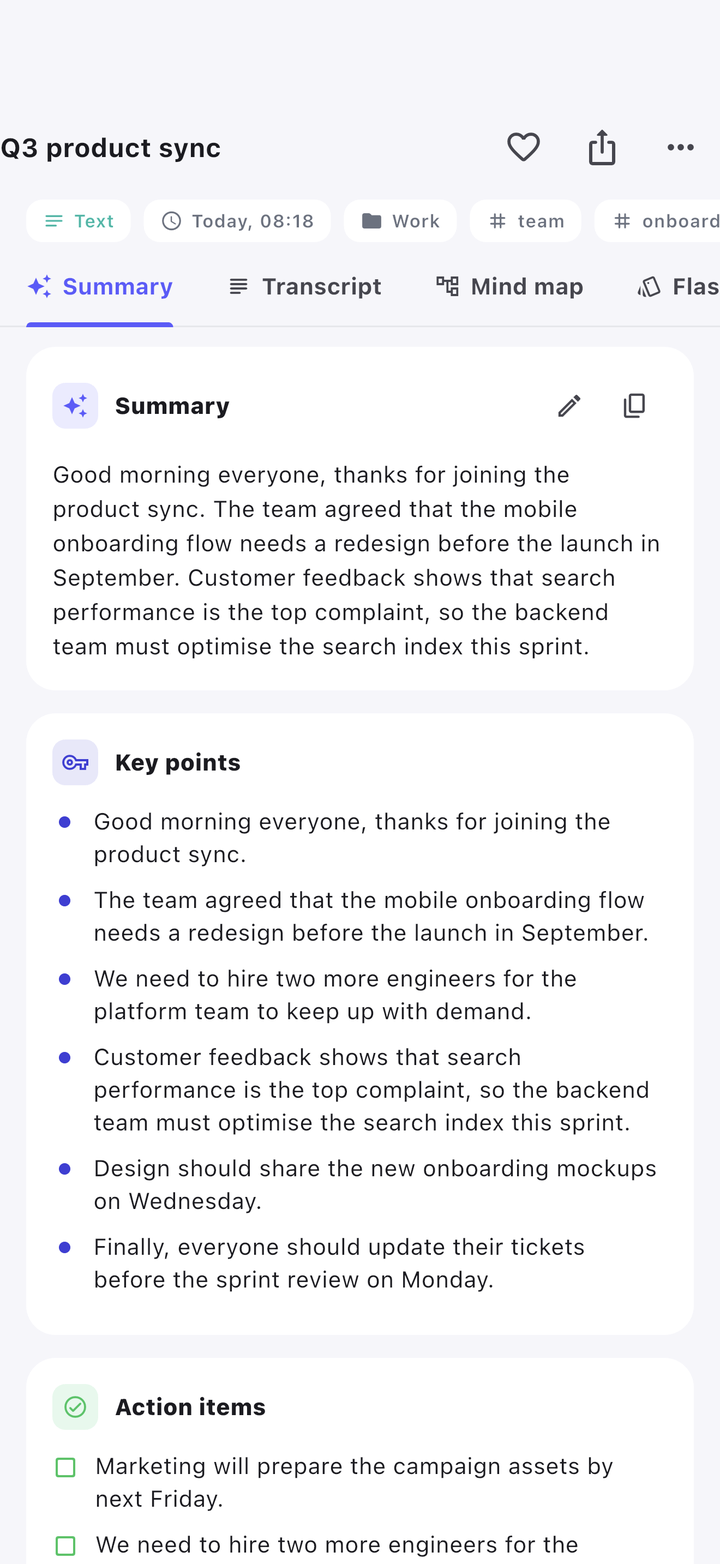
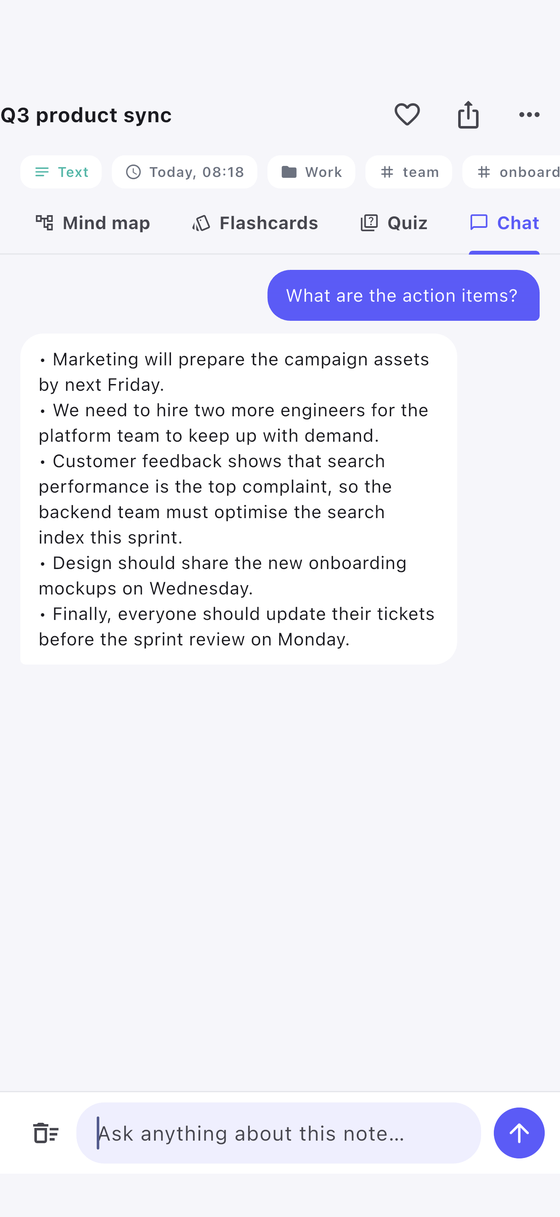
Summary, key points, action items, mind map, flashcards and a quiz — generated from the transcript. Ask the note a question and it answers from what was said.
Features
Everything a recording should give you.
Live transcript
Speech to text while you speak, in 50+ languages, running on the phone itself. Recordings made in the app never need a network to become text.
Summary & action items
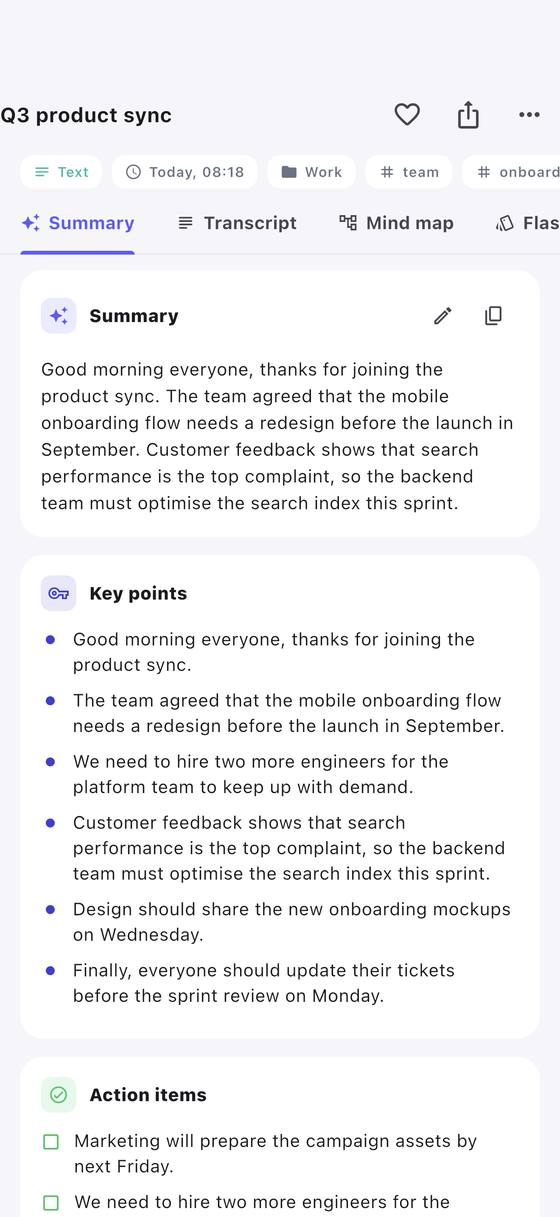
A short summary, the key points and the follow-ups — with names attached, so a one-hour meeting becomes something you can act on.
Mind map
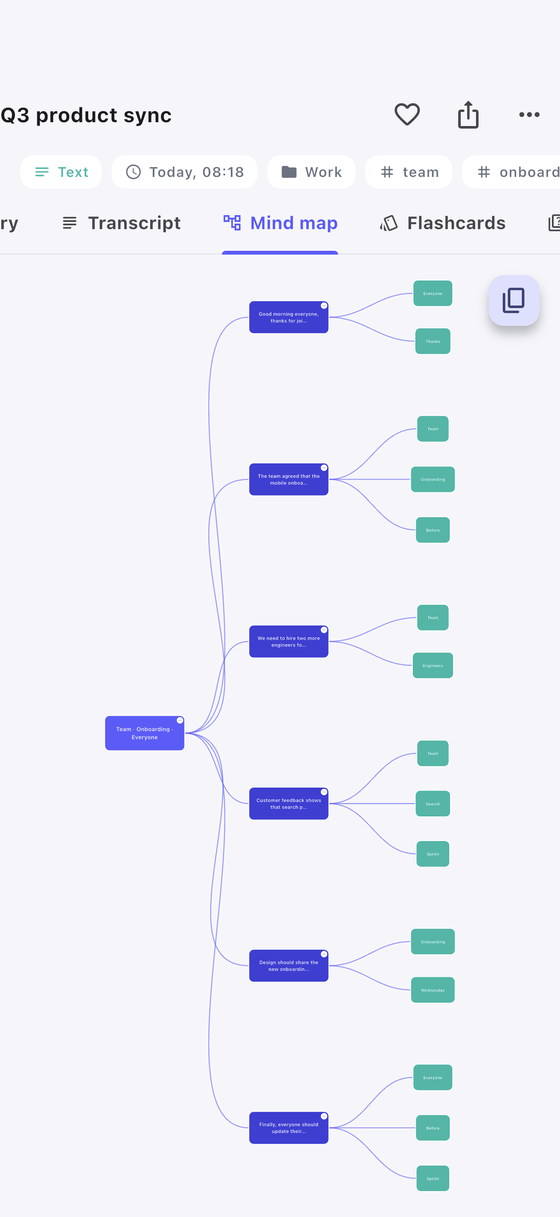
The structure of a talk laid out as a tree you can open branch by branch — useful when the recording rambles and the outline does not.
Flashcards & quiz
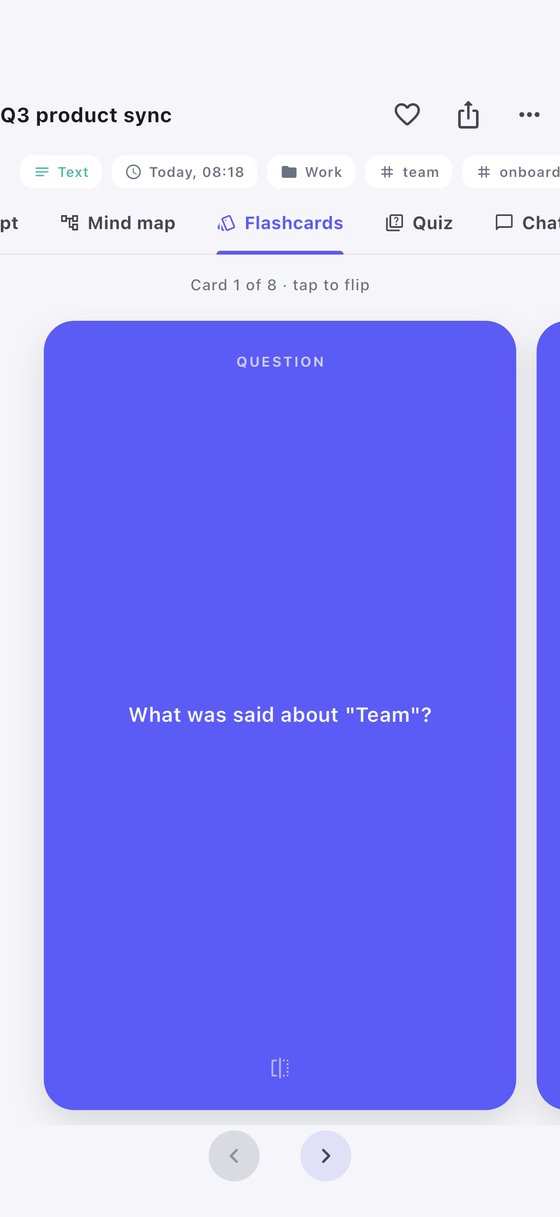
Turn a lecture into study material in one tap: a deck of flashcards and a multiple-choice quiz generated from what was actually said.
Ask your notes
Chat with a recording and get answers grounded in its transcript — “what did we decide about the budget?” — instead of scrubbing through audio.
Made to feel yours
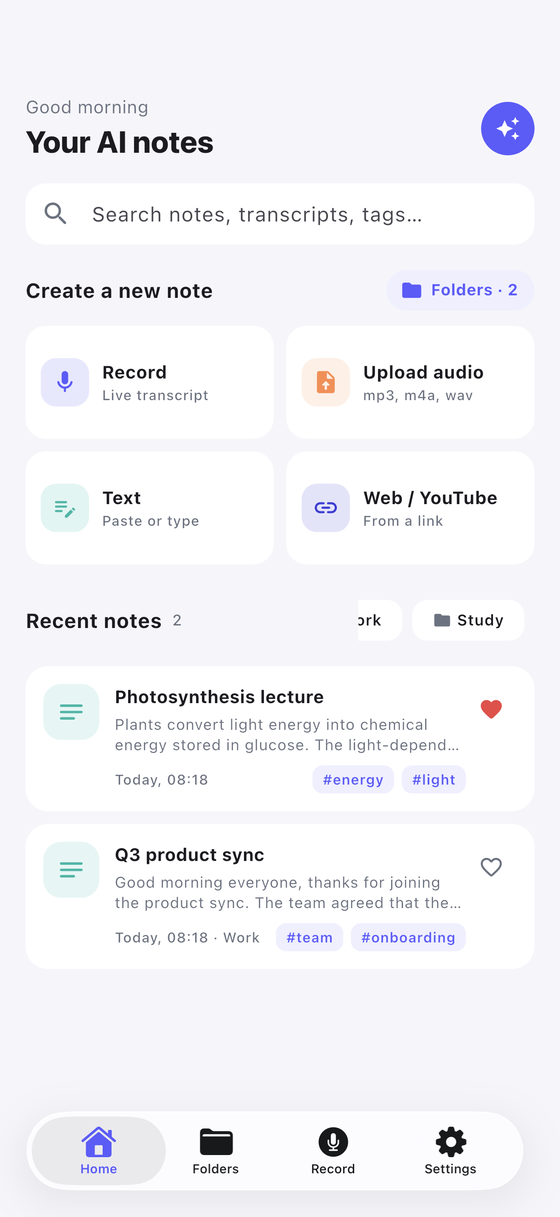
Folders, tags and search keep a year of recordings findable. Pick your accent colour, choose light or dark — a notes app you actually like opening.
Inside the app
Real screens, no mock-ups.
Private by design
Your recordings stay yours.
Audio, transcripts and notes live in the app’s storage on your phone. Recording and speech-to-text run on the device. When you ask for a summary, only the transcript text goes to the AI provider you picked — never the audio.
Pricing
Three ways to run the AI.
Pick per note — you are never locked into one of them.
On device
Free
Transcription and basic structure run offline, with no credits and no key.
Credits
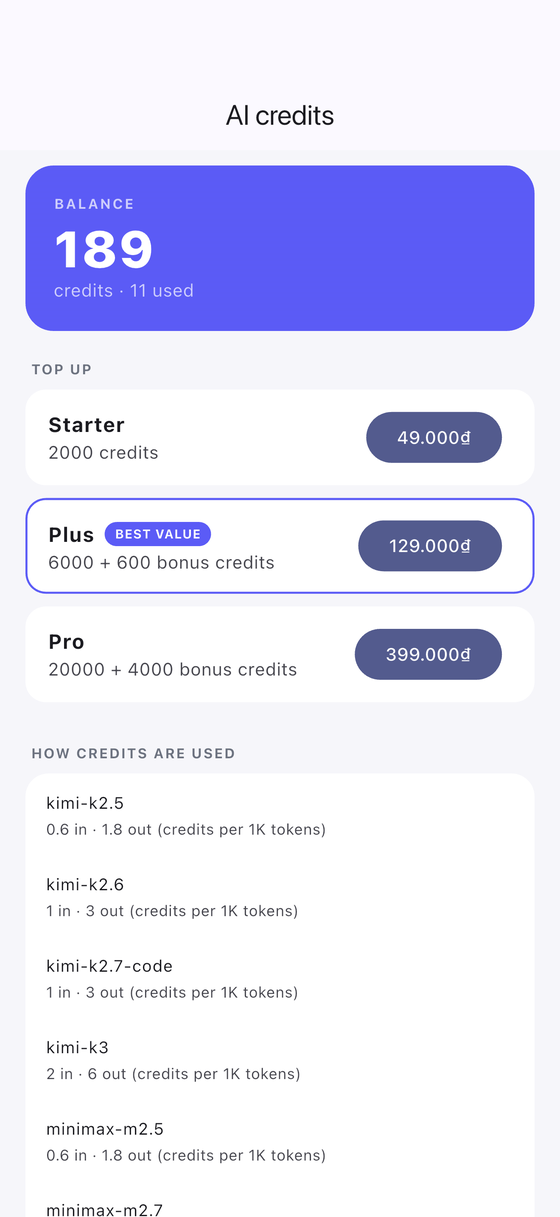
From 49,000₫
Use our hosted AI with no setup at all. 200 free credits to start.
- Starter · 2,000 credits49,000₫
- Plus · 6,600 credits129,000₫
- Pro · 24,000 credits399,000₫
Your own API key
You pay your provider
Point the app at any OpenAI-compatible endpoint. No credits are charged.
One-off purchases, no subscription. Credits do not expire.
Languages
50+ languages, transcribed on the phone.
Speech recognition uses the engine your phone already has. Notes can be written up in a different language from the one you spoke.
- Tiếng Việt
- English
- 日本語
- 한국어
- 中文
- Español
- Français
- Deutsch
- Português
- Bahasa Indonesia
- ไทย
- Italiano
- Nederlands
- Polski
- Türkçe
- Русский
- العربية
- हिन्दी
- + many more
FAQ
Fair questions.
Does it work without internet?
Recording and speech-to-text work fully offline. The AI write-up needs a connection unless you stay on the on-device engine.
Is my audio uploaded anywhere?
Recordings made in the app are transcribed on the device. An imported audio file with no transcript yet is uploaded to the AI provider you selected, because it has to be transcribed there.
What is a credit?
A credit is the unit we charge for the hosted AI. You start with 200 free and can see the balance and the spend in the app.
Do credits expire? Can I get a refund?
Credits do not expire. Refunds follow the policy of the store you purchased from.
Can I use my own AI provider?
Yes — any OpenAI-compatible service. Enter the base URL, the key and the model in Settings.
Which devices does it run on?
Android phones and iPhone. The Android app is live on Google Play now.