FREE On-device transcription — no account, 200 free credits to start

Product tour

One recording. Eleven ways to use it.

This page walks through every feature of DictationNote with screenshots taken from the app itself — no mock-ups, no renders. Read it top to bottom and you have seen the whole product.

01

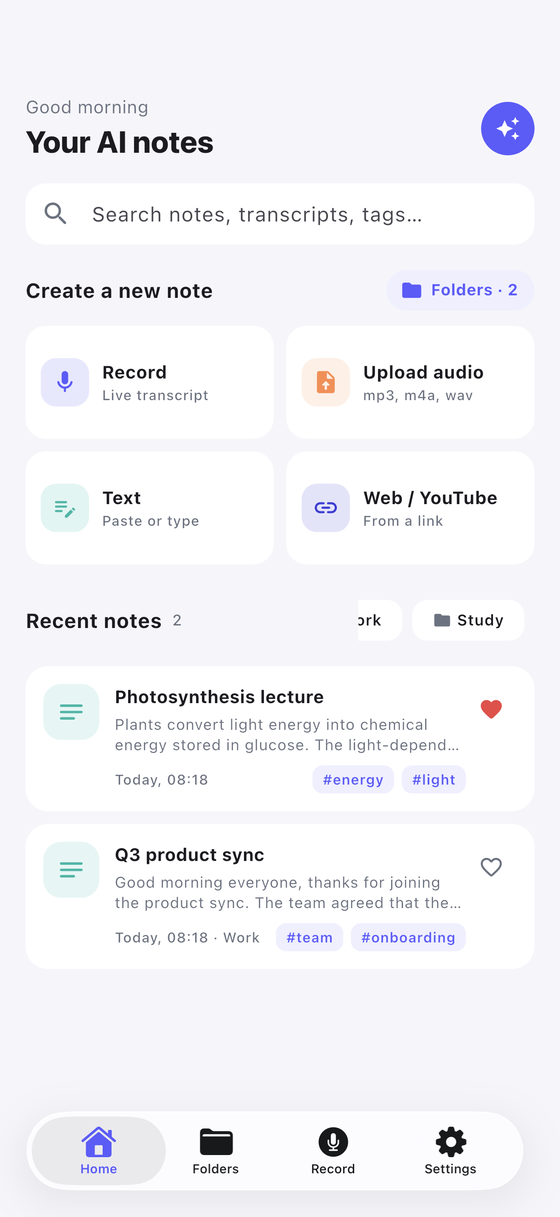
Record it, keep working

Tap the microphone and the app starts listening. The record sheet can be minimised: the session keeps running and a live transcript strip sits above the tab bar, so you can scroll old notes while the meeting is still going. On Android the recording survives the screen going off.

Already have the audio? Pick an m4a, mp3, wav, aac, ogg, flac or mp4 file and the app treats it exactly like something you just recorded.
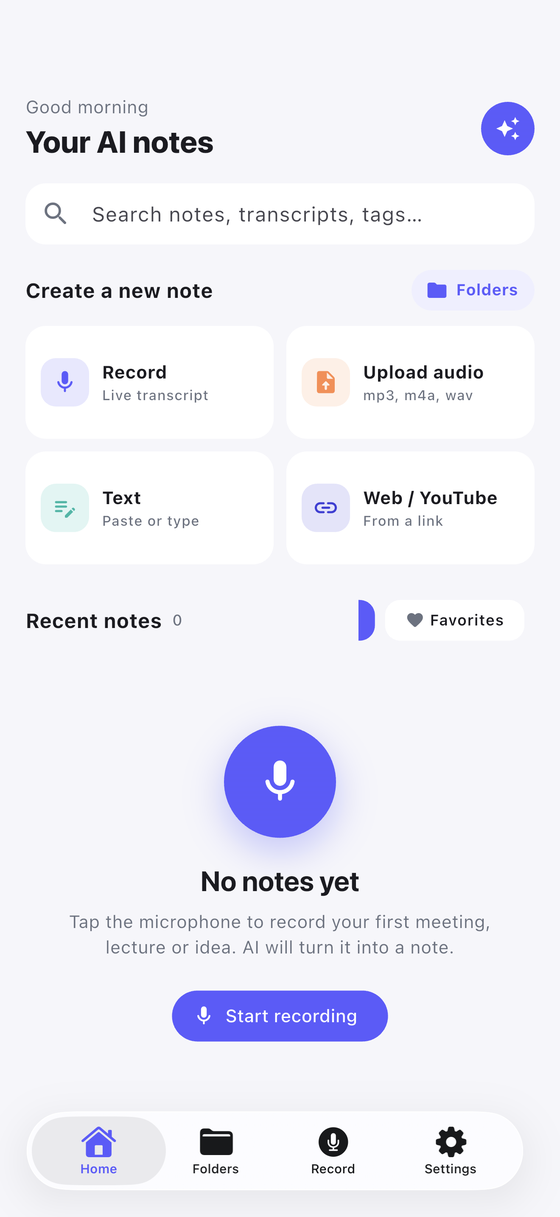
Home screen inviting you to start recording
Nothing recorded yet — one button to start.
02

The transcript is written on the phone

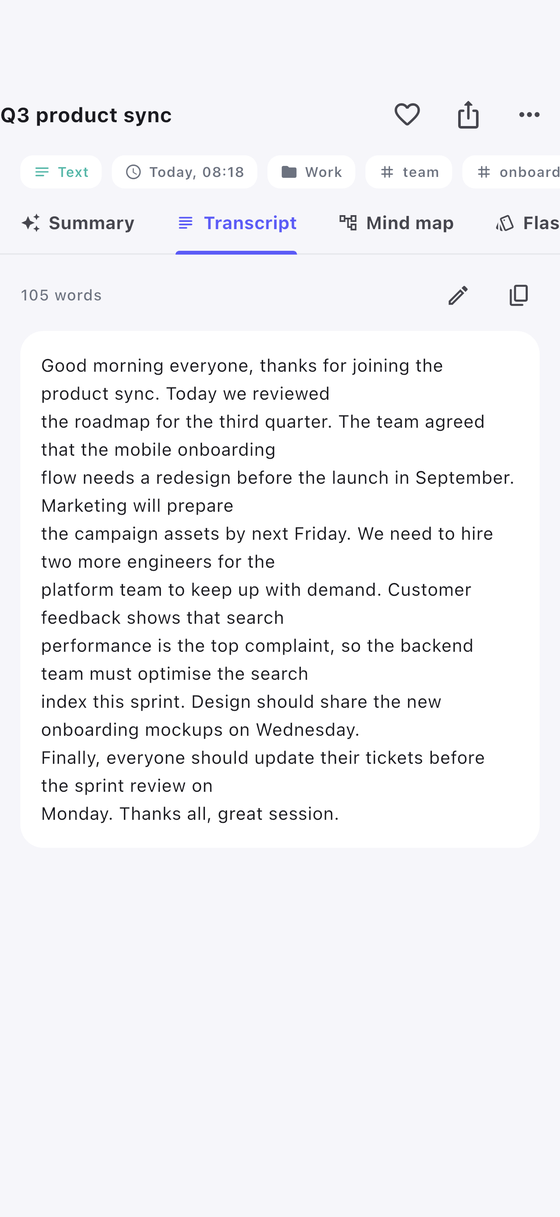
Speech becomes text with the phone’s own speech engine, in more than 50 languages. Once the language pack is on the device it keeps working with no signal at all — on a plane, in a basement lecture hall, on the road.

Every word is timestamped, so tapping a line jumps the audio to the moment it was said.

Transcript tab of a recorded meeting
The full transcript, timestamped.
03

Summary, key points, action items

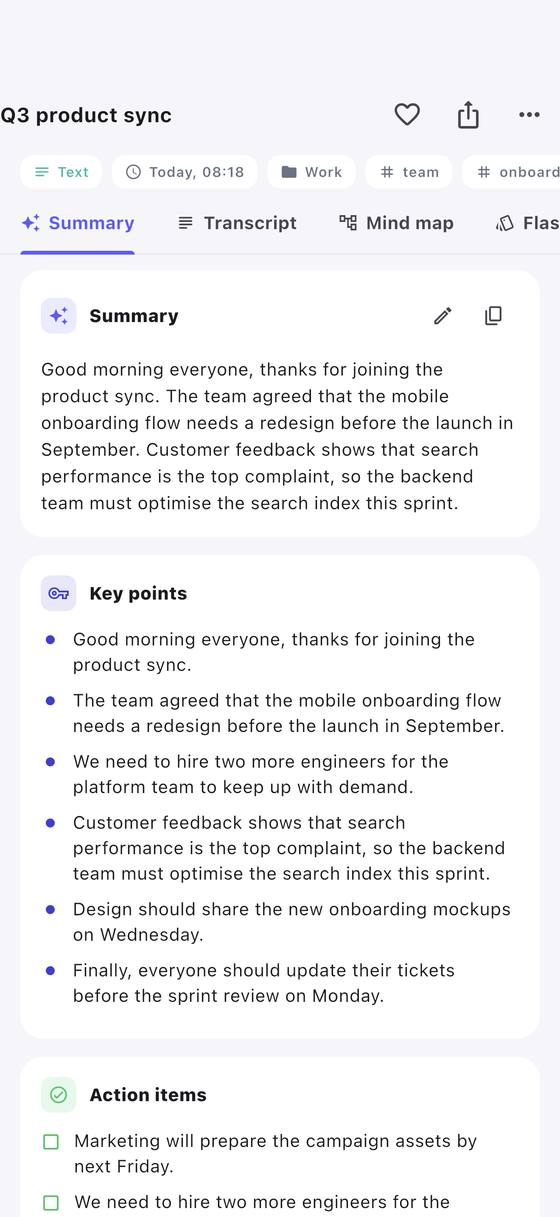
The AI reads the transcript and writes what you actually need: a short summary, the key points, and the action items with the name attached to each one. A one-hour meeting becomes something you can read while the lift arrives.

Not happy with the result, or you changed AI provider afterwards? "Regenerate" rewrites the whole note from the same transcript.

Summary of a recorded meeting
Summary, key points and action items.
04

A mind map of what was said

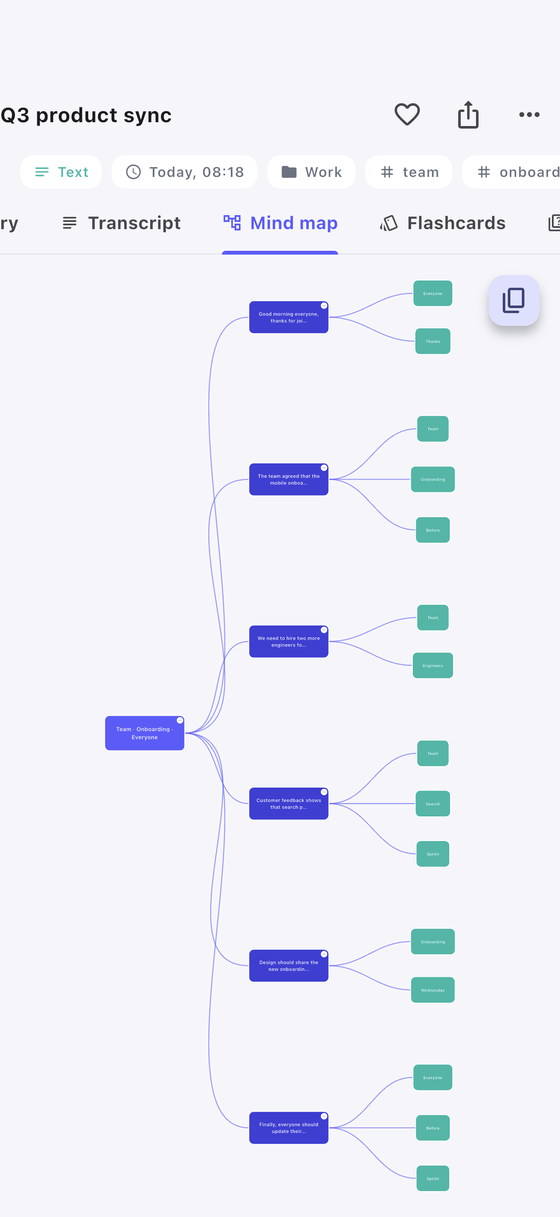
The same note is also drawn as a tree: the topic in the middle, the branches around it. It is the fastest way to see how a lecture was structured, or which part of a meeting swallowed the hour.

Mind map generated from a lecture
The talk, as a tree.
05

Flashcards and a quiz, from the same recording

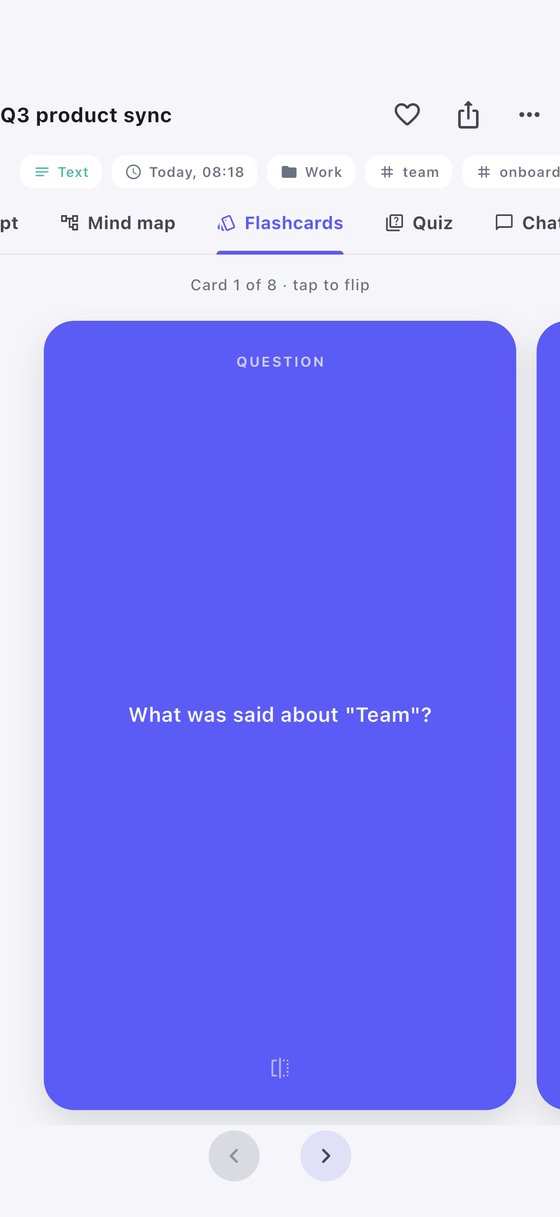
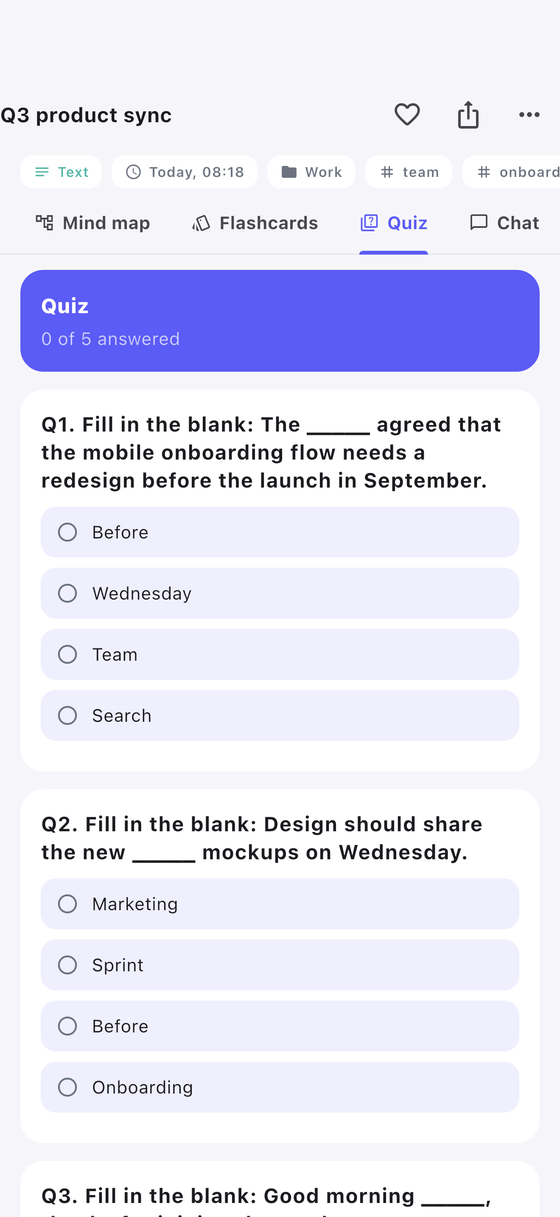
For lectures and training sessions the note also turns into study material: flashcards you can flip, and a multiple-choice quiz that marks your answers and shows what you missed.

Nothing to prepare — the cards and the questions come out of what the lecturer actually said.

Flashcards generated from a lecture
Flashcards from the lecture.
Quiz generated from a lecture
A quiz that marks itself.
06

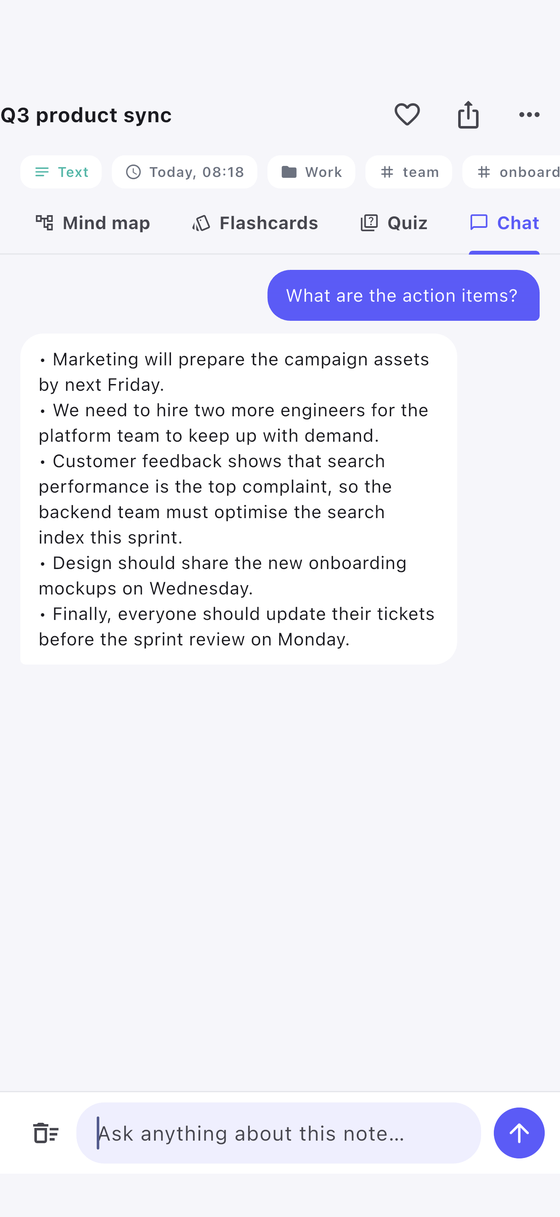
Ask the note a question

Chat sits next to the transcript. Ask "what did we decide about the budget?" and the answer comes from that recording only — not from the internet, not from another note.

Chatting with a recorded note
Answers grounded in your own recording.
07

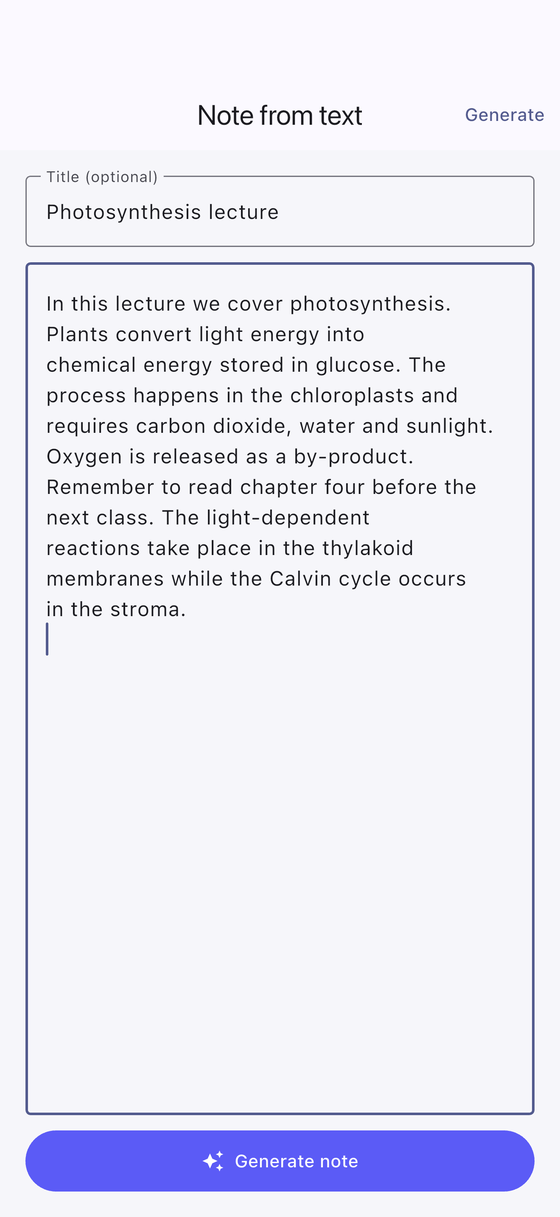
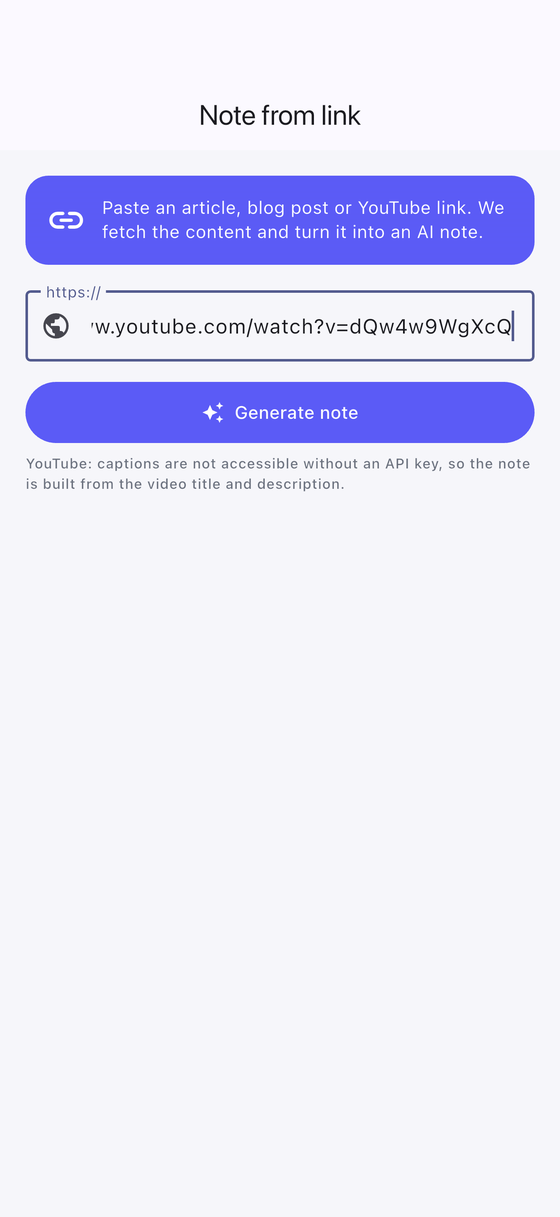
Not everything starts as audio

Paste text — an email thread, a long document, meeting minutes someone else typed — and you get the same summary, mind map, flashcards and quiz. Or drop in a link and let the app pull the article or video page behind it.

Creating a note by pasting text
Paste text, get a note.
Creating a note from a link
Or start from a link.
08

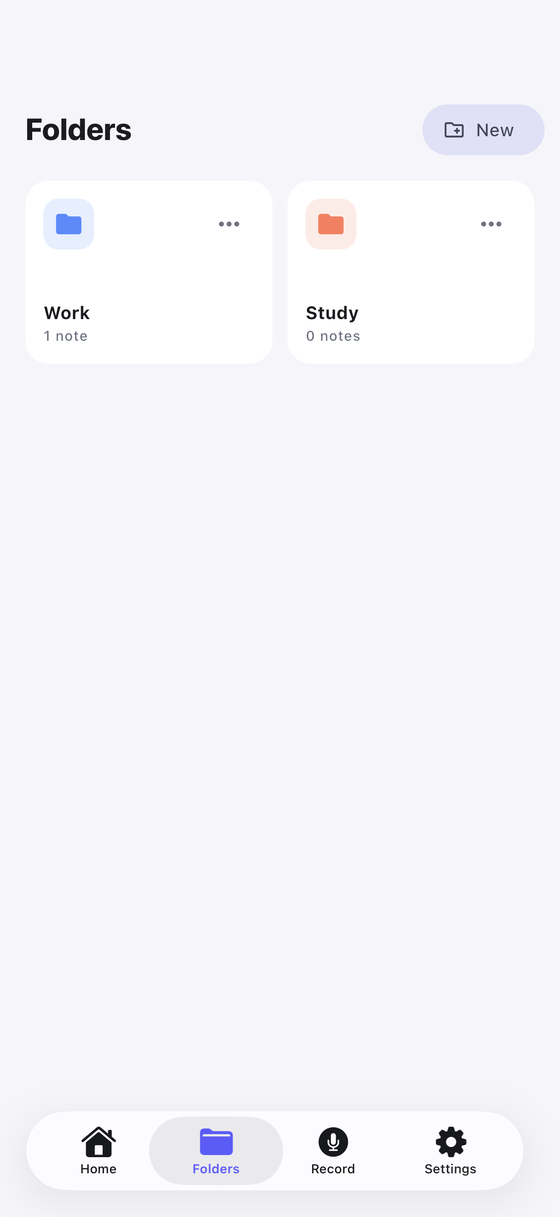
Folders, search and favourites

Search runs across titles, transcripts and tags, so a half-remembered sentence is enough to find the recording. Star the ones you keep coming back to, and file the rest into folders — Meetings, Lectures, Interviews, whatever fits.

On Android folders open from the button next to "Create a new note"; on iPhone they also have their own tab.

Folder list with note counts
Folders, with a count each.
List of notes with search
Every recording, searchable.
09

Send it where the work happens

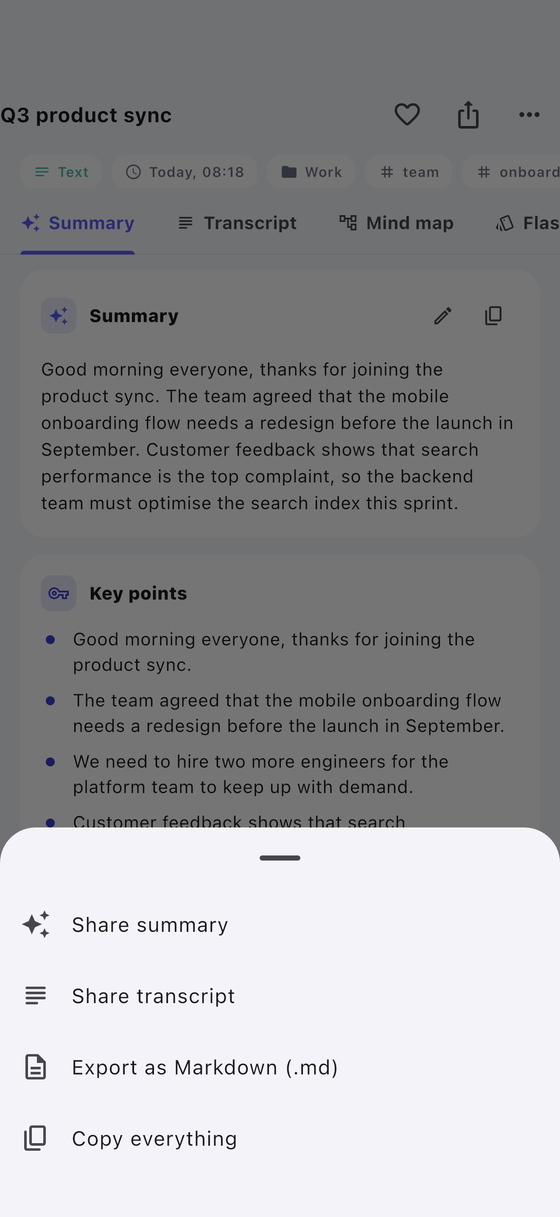
Share the summary, the transcript or both — into a chat, an email, a task app, or straight to a file. The note leaves the phone only when you decide to send it.

Share sheet for a note
Summary, transcript, or both.
10

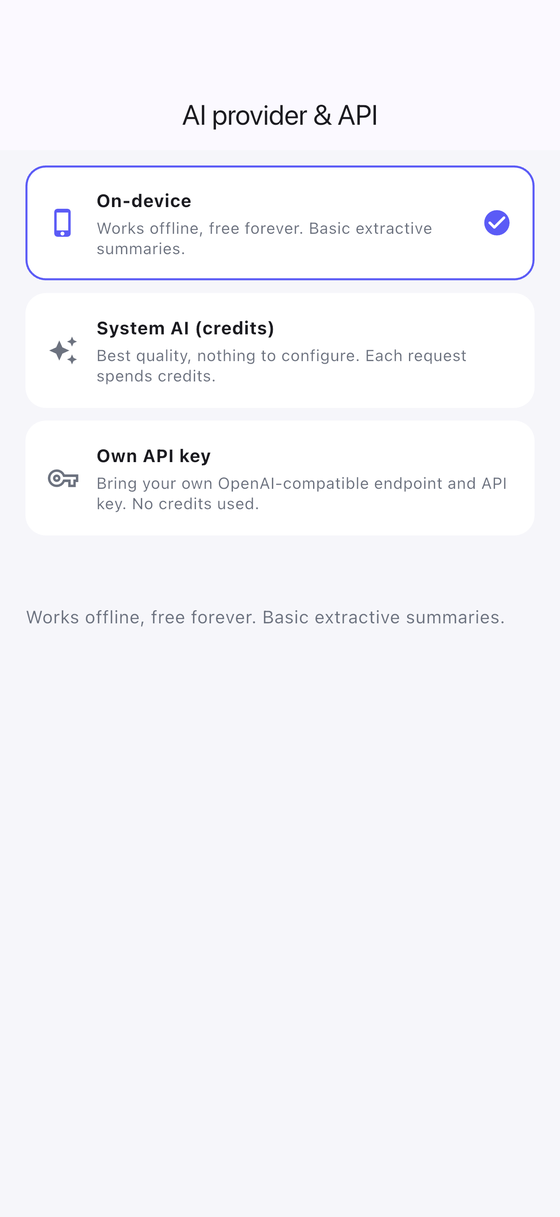
Three ways to run the AI

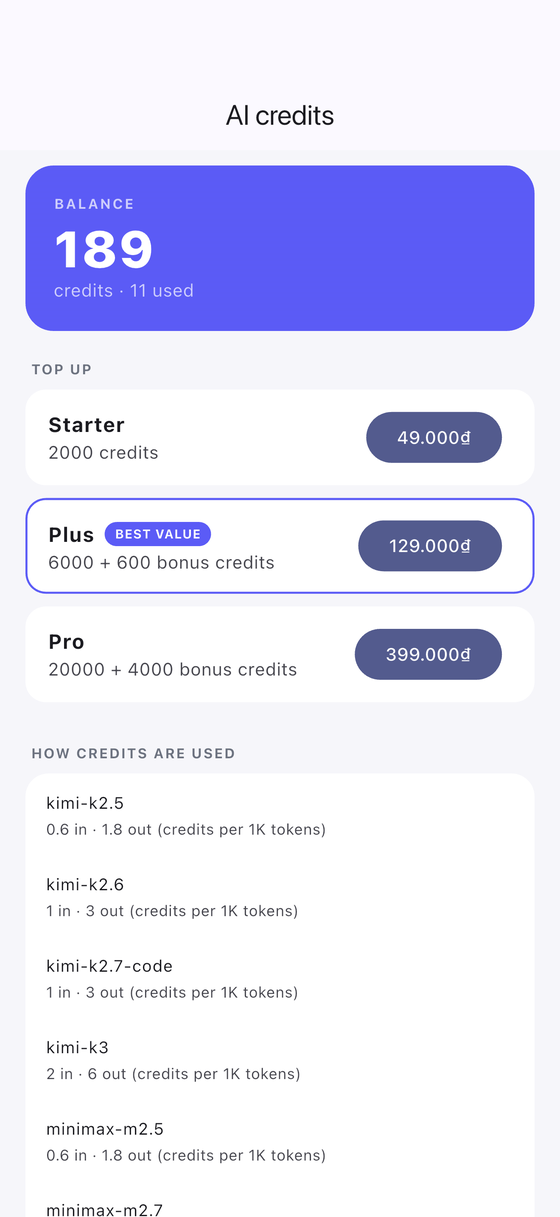
On device is free and needs no account: transcription, search and your notes all work without a provider. For the summary and the study tools you can either spend credits — 200 come free with the app, packs start at 49,000₫ — or plug in your own API key with any OpenAI-compatible base URL and model.

Credits are spent per request and the wallet shows exactly what each note cost. With your own key, nothing is charged by us at all.

Choosing the AI provider
On device, credits, or your own key.
Credit wallet and packs
Credits, spent per request.
11

Make it yours

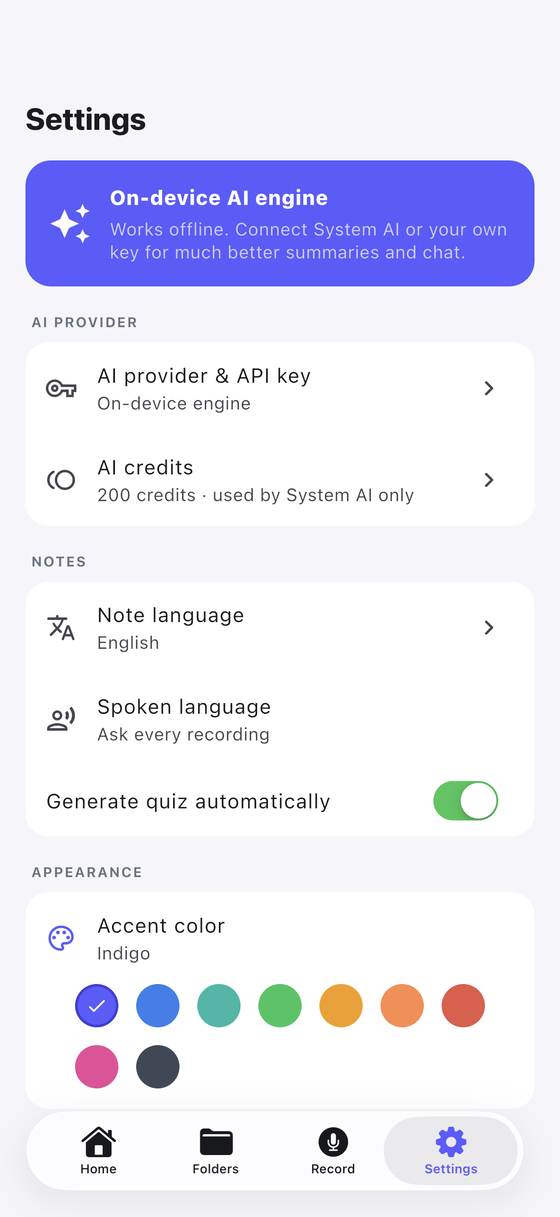
Pick the accent colour, the language your notes are written in, and the language you usually speak. Everything is stored on the phone, and one button in Settings deletes the lot — notes, audio files and all.

Settings screen
Settings, kept short.

Ready when you are

Record the next meeting instead of typing through it.

Free on device, 200 credits to try the AI, no account at any point.

Get DictationNote